你的下一项功能
崩溃报告
记录测试错误及其上下文。
Unity
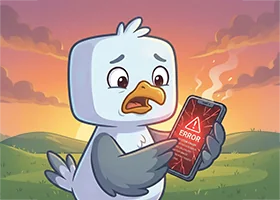
可见的结果
测试错误及其上下文出现在仪表盘中。
分类处理崩溃报告1:22
现有仪表盘教程展示的是旧版设计,指南采用当前流程。
此教程以英语播放。
单独打开视频 ↗实现此功能
你可以预览指南。运行需要有效的项目密钥。 准备项目
已安装 SDK 并导入项目配置。
C#
1using System;
2using System.Collections.Generic;
3using UnityEngine;
4using PM.horizOn.Cloud.Core;
5using PM.horizOn.Cloud.Manager;
6
7// 将此脚本挂到第一个场景中的某个 GameObject 上。
8public class CrashReportingDemo : MonoBehaviour
9{
10 async void Start()
11 {
12 // 准备:初始化、连接并登录玩家。
13 HorizonApp.Initialize();
14 await new HorizonServer().Connect();
15 await UserManager.Instance.SignUpAnonymous("PlayerName");
16
17 // horizOn:记录崩溃,附带面包屑和上下文。
18 // Start capture once, then add context as the player progresses
19 CrashManager.Instance.StartCapture();
20 CrashManager.Instance.SetUserId(UserManager.Instance.CurrentUser.UserId);
21 CrashManager.Instance.RecordBreadcrumb("scene", "Entered dungeon_01");
22
23 // Report a handled exception with extra diagnostic keys
24 try { LoadInventory(); }
25 catch (Exception ex)
26 {
27 CrashManager.Instance.RecordException(ex, new Dictionary<string, string>
28 {
29 ["scene"] = "dungeon_01"
30 });
31 }
32 }
33
34 void LoadInventory()
35 {
36 // 你自己的游戏代码
37 }
38}
测试你的新功能。
测试错误及其上下文出现在仪表盘中。
在仪表盘中选择与游戏配置相同的项目。
文档和控制台
阅读文档

