Your next feature
Crash Reporting
Capture a test error with context.
Unity
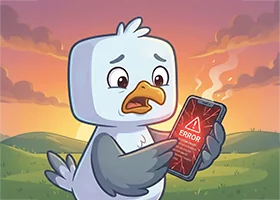
Your visible result
A test error appears with context in the dashboard.
Triage a crash report2:53
Open video separately ↗Prepare the same project
Choose the same project in the dashboard as in your game configuration.
Crash Reporting →No additional definition is needed for the first request. An empty result is valid until matching game data exists.
Build this feature
You can preview the guide. Running it requires an active project key. Prepare project
SDK installed and project configuration imported.
Save the C# file, attach it to a GameObject and enter Play. Check Console.
C#
1using System;
2using System.Collections.Generic;
3using UnityEngine;
4using PM.horizOn.Cloud.Core;
5using PM.horizOn.Cloud.Manager;
6
7// Attach this script to a GameObject in your first scene.
8public class CrashReportingDemo : MonoBehaviour
9{
10 async void Start()
11 {
12 // Setup: initialize, connect and sign in a player.
13 HorizonApp.Initialize();
14 await new HorizonServer().Connect();
15 if (!UserManager.Instance.IsSignedIn)
16 {
17 bool authenticated = UserManager.Instance.HasCachedAnonymousToken()
18 ? await UserManager.Instance.RestoreAnonymousSession()
19 : await UserManager.Instance.SignUpAnonymous("StatisticsPlayer");
20 if (!authenticated) return;
21 }
22
23 // horizOn: capture crashes with breadcrumbs and context.
24 // Record a handled test error without crashing the editor.
25 CrashManager.Instance.StartCapture();
26 CrashManager.Instance.SetUserId(UserManager.Instance.CurrentUser.UserId);
27 CrashManager.Instance.RecordBreadcrumb("quickstart", "Handled test error");
28 try
29 {
30 throw new InvalidOperationException("horizOn Quickstart test error");
31 }
32 catch (InvalidOperationException exception)
33 {
34 CrashManager.Instance.RecordException(
35 exception,
36 new Dictionary<string, string> { ["source"] = "quickstart" });
37 }
38 Debug.Log("Test error submitted. Check Crash Reporting in the same project.");
39 }
40}
Test your new feature.
A test error appears with context in the dashboard.
Choose the same project in the dashboard as in your game configuration.
Docs and dashboard
Read the docs

Tutorial video
Support and diagnosticsUnity5:14
Open video separately ↗